


ARTAI: AI Comic & Manga Maker
4.112.00 Reviews
App Specs
- Version
- 1.0.8
- Updated On
- License
- Free
- Downloads
- 10,000+
- Developer
- Comic & Anime Maker AI
- Categories
- Comics
- Platform
- Android
Screenshots
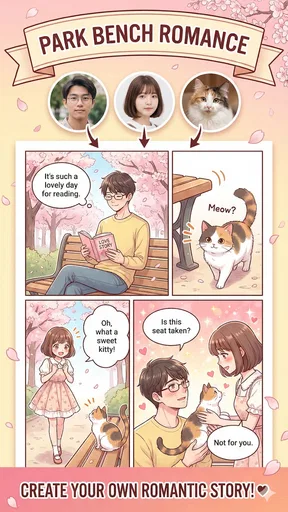
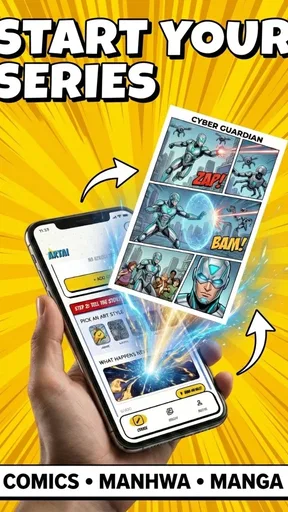
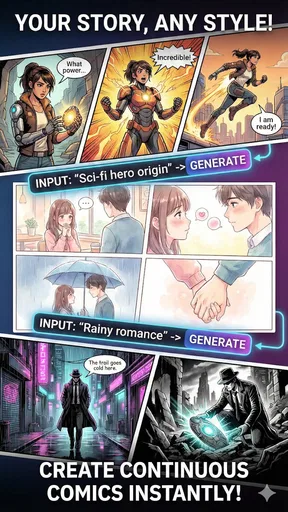
 Analysis by AppCompare
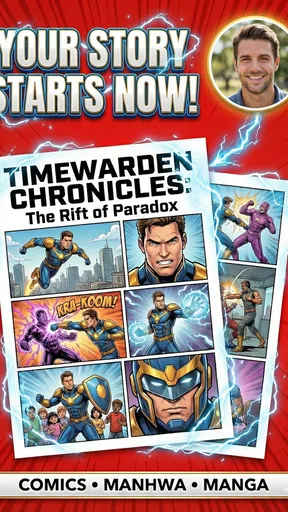
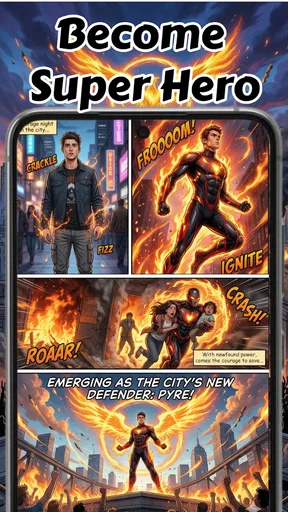
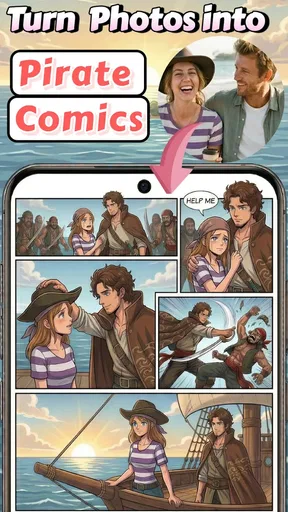
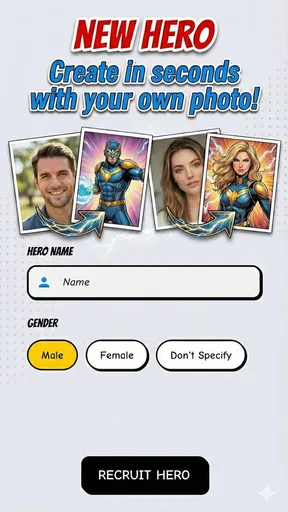
When I try an AI comic maker, I’m not only asking whether it can turn an idea into an image. I also want to know what choices I retain when a personal photo or an unfinished story becomes part of the creative process. ARTAI: AI Comic & Manga Maker is a free comics app from Comic & Anime Maker AI, and its central appeal is an approachable route from a prompt or image toward manga-style panels. Its Teen content rating makes it more suitable for older children and adults than for very young users, but I’d still treat any personal material thoughtfully.
The practical question is whether the app fits the way you want to make comics. I see its strongest potential in quick experiments: testing a character concept, turning a small everyday moment into a visual scene, or making a rough story idea easier to share. It is less compelling as a replacement for a carefully controlled illustration and page-layout workflow. AI can help you get moving, but it does not remove the need to judge whether the result actually tells the story you intended.
Trust starts with choices, not assumptions
I wouldn’t take an AI-generated image as proof that an app handles every part of the process in a particular way. Photos and story prompts can feel personal, so I’d pause before using a recognizable face, private conversation, or details that identify someone else. If I were making a comic for friends, I’d use a fictional description or a photo I have permission to use rather than treating a quick creative experiment as a reason to share somebody’s image.
The app’s price is free, with in-app purchases ranging from $4.99 to $59.99 per item. That matters when deciding how far to explore: I’d first work out whether the creative process suits me, then check the purchase screen carefully before committing to anything. The wide span between the lowest and highest listed item is a reason to make a deliberate choice rather than assume every tool or option is included at no cost.
Your Creative Sidekick
Let’s dive into what makes ARTAI: AI Comic & Manga Maker such a fantastic tool. Right off the bat, you’ll notice how user-friendly it is. The app’s interface is clean and intuitive, making it super easy to navigate, even if you’re a complete newbie to digital art. You don’t need to be a seasoned artist to create something amazing; the app does a lot of the heavy lifting for you.
With a wide array of templates and presets, you can start crafting your story right away. Whether you’re into superheroes, fantasy, or slice of life, there’s something here for everyone. I had a blast experimenting with different styles, and the best part? You can tweak everything to your heart’s content, thanks to the app’s robust customization options.
AI Magic at Work
Now, let’s talk about the real magic behind the app – its AI capabilities. The app uses cutting-edge AI to help you bring your characters and scenes to life. I was genuinely impressed by how it can transform simple sketches into fully-fledged illustrations. It’s like having a professional artist at your fingertips, ready to assist you whenever creativity strikes.
Worth Reading Before You Choose

Flipboard Shows What News Apps Must Do Beyond the Feed

Switching to Android Auto Means Rethinking Your Driving Routine

Google Calendar Makes a Crowded Week Easier to Manage

Ludo King Makes the Most of the Minutes Between Plans

Baby Panda World Brings Quick Play to Modern Phones, but Its Game Library Feels Busy

ESPN’s Live Game View Makes Following Close Games Easier
The AI is not just about improving your drawings; it also provides suggestions and ideas to enhance your storyboarding. I found the built-in suggestions particularly handy when I hit a creative block. It’s like having a writing partner who’s always available to brainstorm with you.
Unleash Your Inner Artist
One of the coolest features of the app is its ability to teach you along the way. As you create, you’ll find yourself learning new techniques and improving your skills without even realizing it. The app provides little tips and tricks for better storytelling and artwork, making it a fantastic educational tool.
Plus, the community aspect of ARTAI is worth mentioning. You can share your creations with other users, get feedback, and even collaborate on projects. It’s a vibrant community where creativity thrives, and it’s incredibly motivating to see what others are creating.
Seamless Integration and Sharing
Once you’ve crafted your masterpiece, sharing it is a breeze. The app allows you to export your comics and manga in various formats, perfect for posting on social media or printing. I loved how easy it was to showcase my work to friends and family. Watching their reactions was priceless!
Integration with other apps and platforms is seamless, ensuring your workflow remains uninterrupted. Whether you’re using it on Android or iOS, the experience is smooth and consistent.
Making a short comic feel coherent
For a useful first project, I’d keep the story small: one character, one setting, and a clear change from the first panel to the last. A person missing a bus, for example, can become a compact slice-of-life scene without needing a complicated cast. This is a good way to see whether the app’s visual direction supports your idea before you invest time in a longer narrative.
I’d also treat each generated scene as a draft rather than assuming the panels will automatically match. Decide on a few stable details before you begin—such as the character’s clothing, mood, and location—and reuse the same descriptions as you work. That simple habit gives you a better chance of visual continuity, while making it easier to spot when a result no longer fits the story.
There’s a trade-off here: speed can make it tempting to accept the first image that looks attractive. But a striking panel is not necessarily a useful one if it changes the character’s expression or distracts from the action. I’d choose images for clarity and consistency, not just for their standalone appeal. If precise control of every pose and page element matters more than getting a quick visual draft, a conventional drawing or layout app is likely a better fit.
Where it fits among comic-making tools
Compared with drawing a comic from scratch in a general-purpose art app, an AI maker can shorten the distance between an idea and a visual starting point. That makes this app appealing to someone who has a story in mind but does not want to begin with a blank canvas. The compromise is authorship: generated artwork may not reflect every detail in your imagination, and the creator still needs to decide what to keep, revise, or discard.
Against a simple comic-strip editor, the attraction is the possibility of building scenes and characters with AI assistance rather than only arranging existing art. On the other hand, someone who mainly wants reliable panel grids, exact lettering placement, or a predictable print-ready page may prefer a tool designed around those controls. I’d think of this app as a way to explore and storyboard, not automatically as the final production desk for a polished comic.
It is also worth separating a personal experiment from a finished piece intended for a wider audience. A quick comic for a group chat can be fun even when the visual style shifts slightly between panels. A portfolio piece or a longer serial has a higher bar for consistency, pacing, and revision. For that kind of work, I would plan to review every panel closely and be ready to use other tools where finer editing is important.
Use personal material with care
The photo-to-comic idea can make a creation feel more personal, but it also changes what I would choose to upload. For a playful self-portrait, I’d use an image I’m comfortable working with and avoid including other people unless they have agreed. For a story inspired by a private event, I’d fictionalize names and identifying details before turning it into a prompt. Those choices let me enjoy the creative result without casually exposing someone else’s information.
I would also inspect the app’s permission prompts and any account or sharing choices shown during use, rather than granting access automatically. A prompt for a photo-related permission should make sense for the action I’m trying to take; if I only want to explore a text-based idea, I’d avoid granting access I don’t need. Before sharing a finished comic, I’d check the image itself for visible names, faces, or details I did not intend to publish.
That approach is not a claim about the app’s data policies; it is simply a sensible way to handle creative material in any service that may process images or prompts. If you are creating something for a child, it is worth being involved in the choices around photos, purchases, and sharing. The Teen rating gives a useful age signal, but it does not replace a parent’s judgment about what material is appropriate for a particular young person.
Who will enjoy it, and who may want another tool
I’d recommend giving it a try if you like manga or comics, want a low-pressure way to visualize a story, and are happy to guide an AI result rather than draw every detail yourself. It can also suit a writer who wants a rough visual companion for a scene, or a casual creator looking for a personalized image to share. The app is available for Android with a minimum OS requirement of 7.0, and its current version is 1.0.8.
I would be more cautious if you need exact control over anatomy, lettering, panel geometry, or repeatable character design. Artists who already have a preferred drawing workflow may find AI generation less useful than direct editing, while creators handling sensitive photos may decide that a fictional prompt is the more comfortable route. If you want to publish commercially, check the terms and rights that apply to your intended use before relying on generated material; I would not assume that an attractive result automatically settles those questions.
ARTAI has an average rating of 4.1 from around 443 ratings, with 12 written reviews and over 10,000 installs. I see those figures as a snapshot of its audience, not a guarantee that its style or workflow will suit you. The better test is whether you enjoy the loop of describing an idea, reviewing what the AI produces, and making choices about the result.
Final Thoughts
In a nutshell, ARTAI: AI Comic & Manga Maker is a must-have for anyone interested in comic and manga creation, regardless of experience level. It’s an empowering tool that makes storytelling accessible to everyone. If you’ve been itching to unleash your inner artist, this app is your ticket to a world of creativity.
So, what are you waiting for? Dive into the world of ARTAI and start crafting your own epic stories today. You’ll be amazed at what you can create with a little help from AI!
My more measured recommendation is to start with a small, low-stakes idea and see how much direction you can give the finished panels. If you value speed, experimentation, and a playful route into manga-style storytelling, it could be an enjoyable creative companion. If your priority is privacy-sensitive photo handling, exact editorial control, or a consistent finished comic with minimal revision, take time to check the choices presented in the app and compare it with a dedicated drawing or page-layout tool. For me, its best role is a launchpad for ideas—not a substitute for the decisions that make a comic feel distinctly yours.
Pros
- User-friendly interface for easy navigation.
- Offers a wide range of comic styles.
- Fast processing with high-quality output.
- Customizable character creation options.
- Integrates well with social media platforms.
Cons
- Limited free features without subscription.
- Occasional crashes on older devices.
- Requires constant internet connection.
- Manga styles can be repetitive.
- In-app purchases can be costly.
FAQs for ARTAI: AI Comic & Manga Maker
What is ARTAI: AI Comic & Manga Maker?
ARTAI: AI Comic & Manga Maker is an innovative application designed for comic and manga enthusiasts. It utilizes advanced AI technology to help users create stunning comic strips and manga pages. With a variety of tools and templates, users can easily craft their stories without needing extensive drawing skills.
How user-friendly is ARTAI for beginners?
ARTAI is designed with a user-friendly interface, making it accessible for beginners. The app provides intuitive tools and easy-to-follow tutorials, allowing users to create comics and manga with minimal effort. Users can quickly navigate through features and start creating their artwork from the get-go.
What features does ARTAI offer to enhance comic creation?
ARTAI offers a wide range of features, including customizable templates, AI-assisted design tools, and a library of characters and settings. Users can also add text, speech bubbles, and effects to enrich their stories. The app supports multiple layers, allowing for detailed and dynamic page layouts.
Is ARTAI available for both Android and iOS devices?
Yes, ARTAI is available on both Android and iOS platforms. Users can download the app from the Google Play Store or the Apple App Store. The app is optimized for different devices, ensuring a smooth and efficient comic creation experience across various smartphones and tablets.
Does ARTAI require an internet connection to function?
While ARTAI can be used offline for basic comic creation, some features may require an internet connection. Access to the online library, updates, and cloud storage options typically need connectivity. It's recommended to have an internet connection for a full-featured experience and access to the latest content.


